
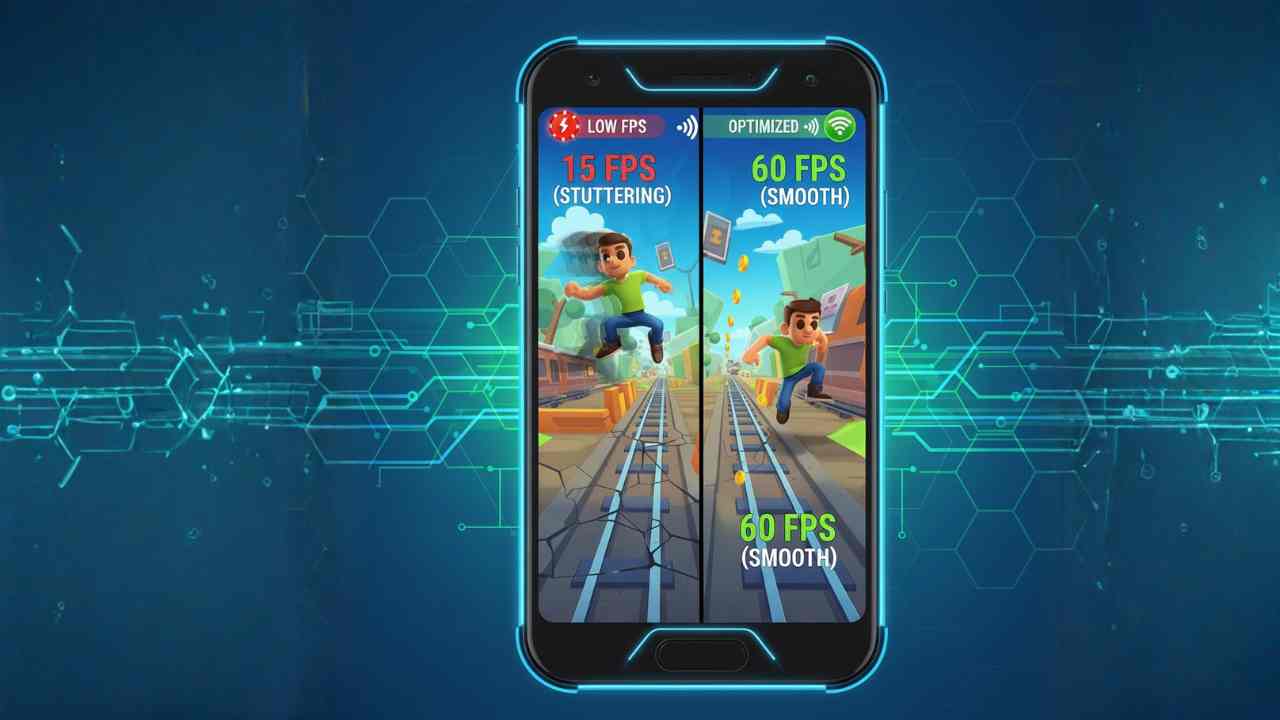
Subway Surfers is known for its smooth gameplay, but many users still face lag, frame drops, or stuttering on certain phones. Based on specifications, benchmarks, and user reports, this issue is often linked to hardware limitations, background processes, and software optimization rather than the game itself.
Understanding why Subway Surfers lags on some phones and how to fix it can help users enjoy smoother gameplay without upgrading their device.
Why This Topic Matters in 2025
In 2025, Subway Surfers continues to receive frequent updates, new maps, and visual enhancements. While this keeps the game fresh, it also increases resource usage.
According to manufacturer data and user reports, many budget and older smartphones struggle to keep up with newer game versions, especially in regions like India, the USA, and Brazil, where a wide range of entry-level and mid-range devices are used.
Also Read: How to Fix Lag in Subway Surfers on Android (2025 Guide)
Minimum Requirements to Run Subway Surfers Smoothly (2025)
While Subway Surfers is lightweight, modern versions still need basic hardware support.
Recommended Baseline Specifications
| Component | Minimum Requirement |
|---|---|
| RAM | 3GB or more |
| Processor | Quad-core or better |
| GPU | Entry-level gaming GPU |
| Android Version | Android 9 or newer |
| Storage | At least 1GB free space |
Phones below these levels may experience lag or frame drops.
Main Reasons Why Subway Surfers Lags on Some Phones
1. Low RAM and Background Apps
Based on benchmarks, devices with limited RAM struggle when multiple apps run in the background.
- Background apps consume memory
- Game assets load slower
- Results in stutter and delayed response
2. Weak or Older Processors
According to chipset performance data, older processors may not handle updated game physics and animations efficiently.
- Entry-level CPUs struggle with animations
- Inconsistent frame rates during fast gameplay
3. Thermal Throttling
Prolonged gameplay can heat the device, especially budget phones.
- Heat reduces CPU and GPU speed
- Leads to sudden lag after a few minutes
4. Outdated Software or Game Version
Manufacturer data shows that older Android versions may lack optimization for newer game builds.
- Compatibility issues
- Poor memory management
5. Low Storage Space
When storage is nearly full:
- Cache files cannot refresh properly
- Game loading time increases
Also Read: Does FPS Really Matter in Subway Surfers? Explained Simply
How to Fix Subway Surfers Lag (Practical Optimization Tips)
These fixes are based on user reports and device optimization best practices.
1. Close Background Apps
- Clear recent apps before launching the game
- Disable floating windows and overlays
2. Reduce Device Load
- Turn off battery saver while gaming
- Disable unnecessary notifications
3. Keep Software Updated
- Update Subway Surfers from the Play Store
- Install the latest Android security updates
4. Free Up Storage Space
- Keep at least 2–3GB free storage
- Clear cached files regularly
5. Restart the Phone Before Gaming
A simple restart clears memory and improves short-term performance.
Comparison Insight: Budget Phones vs Performance Phones
| Feature | Budget Phones | Performance Phones |
|---|---|---|
| RAM | Limited | Higher capacity |
| Processor | Entry-level | Mid-range or flagship |
| Gaming Stability | Inconsistent | Stable |
| Need for Optimization | High | Moderate |
This explains why lag is more common on lower-end devices.
Summary: Can Subway Surfers Run Smoothly on Any Phone?
Based on specifications, benchmarks, and user reports, Subway Surfers can run smoothly on most phones if basic requirements are met and proper optimization is applied. Lag is usually caused by hardware limits or background load rather than the game itself.
With simple fixes, many users can significantly improve gameplay performance in 2025.
Also Read:
- Best Phones for Subway Surfers (2025)
- iQOO Z7 Pro 5G: Specifications, Features, and 2025 Relevance
- Redmi Note 13 Pro: Specifications, Performance, and 2025 Relevance
- Realme Narzo 80 Pro: Full Specifications, Features & Performanc
- iQOO Z10R 5G: Specifications, Performance & Market Relevance in 2025
- Samsung Galaxy M36 5G: Specifications, Features, and 2025 Perspective
- realme C67 5G: A Practical 5G Smartphone for Everyday Users in 2025
FAQS
Why Subway Surfers Lags on Some Phones and How to Fix It
According to user reports, background apps, overheating, or software bugs can cause lag even on newer devices.
Does Subway Surfers require a powerful processor?
Based on benchmarks, it runs well on mid-range processors but may struggle on older entry-level chipsets.
Does internet speed affect Subway Surfers performance?
The game is mostly offline, so lag is not directly related to internet speed.
Will clearing cache improve performance?
Yes, clearing cache helps free memory and can reduce stuttering.
Is lag more common on Android than iOS?
User reports suggest lag is more noticeable on low-end Android devices due to hardware variation.

Simran Shah is a technology writer, graphic designer, and digital content creator with over 4 years of hands-on experience in the Indian tech space. She covers budget smartphones, gadgets, and tech accessories — with a strong focus on helping everyday Indian buyers make smarter purchasing decisions without overspending.
Simran runs two YouTube channels dedicated to AI tools, mobile technology, and automobiles, where she breaks down complex tech topics into simple, actionable content. Her research process involves comparing real specs, reading user reviews, and testing usability — so her recommendations reflect genuine insight, not just specifications copied from brand pages.
As a graphic designer working with tools like Canva and Leonardo AI, she brings a unique visual perspective to tech content — understanding both the product and how to communicate it clearly. Her content has been created with one goal in mind: do the research so you don’t have to.
When she’s not writing or designing, she’s deep-diving into the latest gadget launches, affiliate product comparisons, and AI developments shaping the tech world in India.