
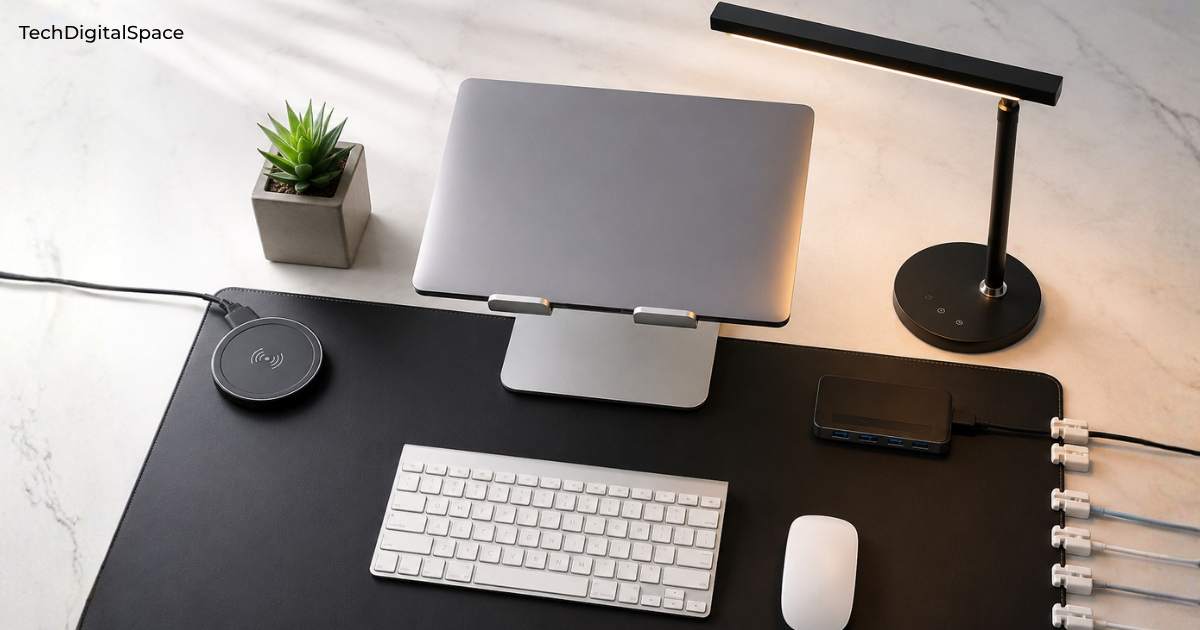
Disclosure: This article contains affiliate links. If you purchase through these links, we earn a small commission at no additional cost to you. Read our full Affiliate Disclosure.
Your Dream Desk Doesn’t Have to Cost a Fortune
Most people think a clean, productive, aesthetic desk setup costs $1,500 or more. They’ve seen the YouTube setups — glowing LED lights, matching accessories, sleek monitor arms — and assumed it was out of reach.
It isn’t.
The best budget desk setup in 2026 is built the same way as every impressive setup you’ve ever seen — one smart product at a time. Every item on this list is under $50, available on Amazon, and chosen because it delivers real, visible improvement to your workspace.
Whether you’re a student setting up your first proper study space, a remote worker tired of staring at a cluttered desk all day, or someone who simply wants their workspace to feel good — this guide gives you exactly what to buy, in exactly what order, without wasting a single dollar.
By the end of this article, you’ll have a complete plan for a clean, functional, beautiful desk setup for around $112 in essentials — or under $270 for the full setup.
Let’s get into it.
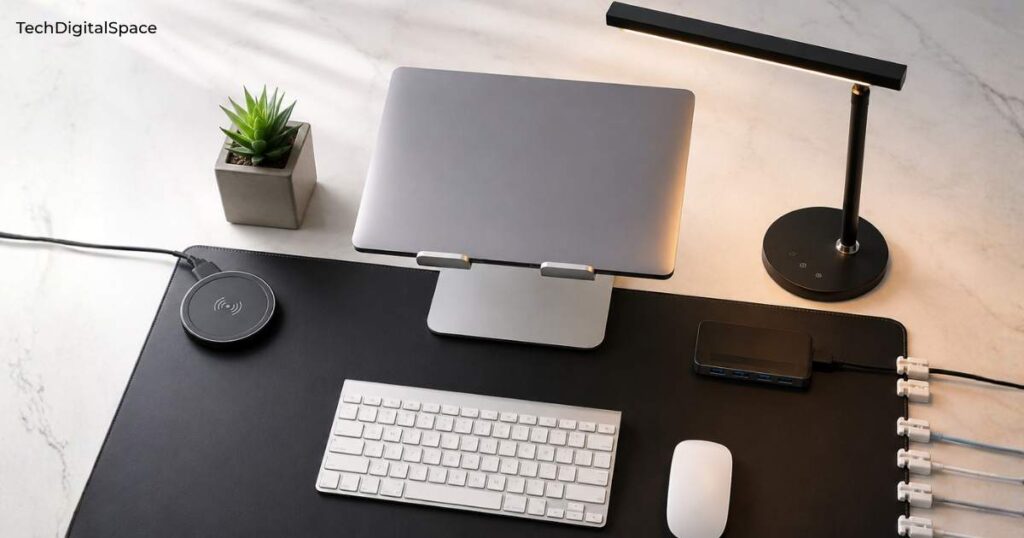
on Amazon — see the full list with prices and affiliate
links below.
Before You Buy — 5 Things to Check for Every Product
- Check the build material: Metal and aluminum desk accessories outlast plastic by years — worth paying $2–$3 more for.
- Review count is your safety net: Products with 10,000+ reviews have been tested by real people in real homes. Trust the numbers.
- Watch for Amazon’s “Frequently Returned” warning: If you see this yellow banner on a product page, skip it — high return rate means poor quality.
- Confirm it ships to your country: All products here are Amazon Prime-eligible in the USA, UK, Canada, and Australia — always double-check your region.
- Prices change daily on Amazon: The prices shown here were accurate at time of publishing — always click through to confirm the current price before buying.
1. Lamicall S1 Tablet Stand — Best for Keeping Your Phone or Tablet at Perfect Eye Level
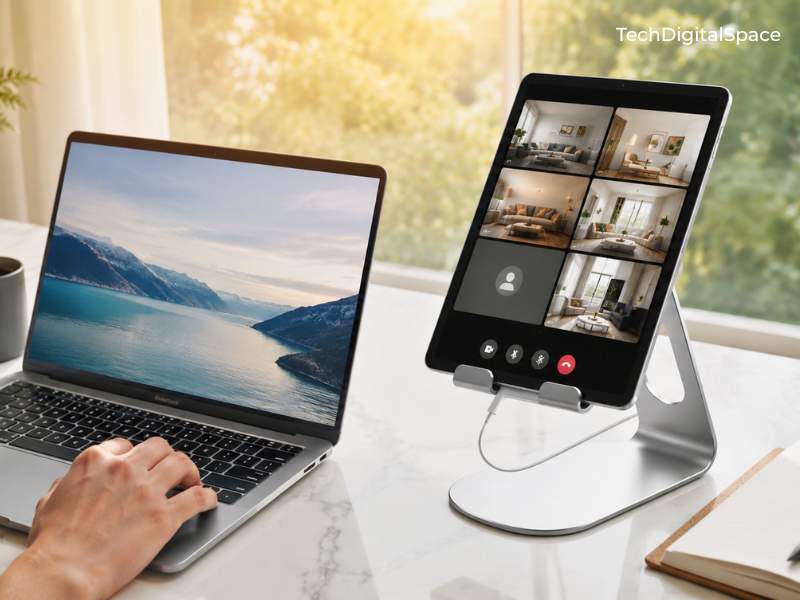
This stand is made for students, remote workers, and anyone who wants their phone or tablet visible while working — without hunching forward or holding the device by hand all day.
- Price: Under $10
- Material: Premium aluminum alloy
- Compatibility: 4–13″ tablets, iPad, Kindle, Switch, smartphones
- Colors available: Silver, Black, Gold, Rose Gold
- Rating: 4.8 stars | 75,538+ reviews | Amazon’s Choice | 7K+ bought last month
With over 75,000 Amazon reviews and a 4.8-star rating, the Lamicall S1 is one of the most trusted desk accessories on the entire platform. The adjustable angle gives you the exact tilt you need for comfortable viewing, and the soft silicone padding on every contact point protects your device from scratches without leaving marks. It folds completely flat for storage or travel, and the aluminum construction means it will still be on your desk in five years looking exactly the same.
Imagine sitting down at your desk every morning with your tablet propped at perfect eye level — video calls, tutorials, and reference tabs all visible without touching the device. That’s what a $9.98 stand actually does for your daily workflow.
The only downside: it holds phones in portrait mode more securely than landscape — something to keep in mind if you frequently watch widescreen video.
At under $10, this costs less than your next coffee and will upgrade your desk every single day.
Prices on Amazon change frequently — click to check the current price.
Check price on Amazon → Lamicall S1 Tablet Stand
2. BONTEC Dual Monitor Stand Riser — Best for Fixing Your Posture and Freeing Up Desk Space
If you stare at a monitor for more than two hours a day, this is not a nice-to-have — it is essential for your neck, posture, and long-term comfort.
- Price: Under $30
- Material: Engineered wood — white finish, polished surface
- Feature: Adjustable length from 31.5″ to 42.5″ — fits
- single or dual monitor setups
- Feature: 360° swivel angle on both side sections
- Storage: 3 open compartments underneath for keyboard,
- files, and accessories
- Extra: Built-in smartphone holder slot on right section
- Rating: 4.6 stars | 7,600+ reviews | Amazon’s Choice
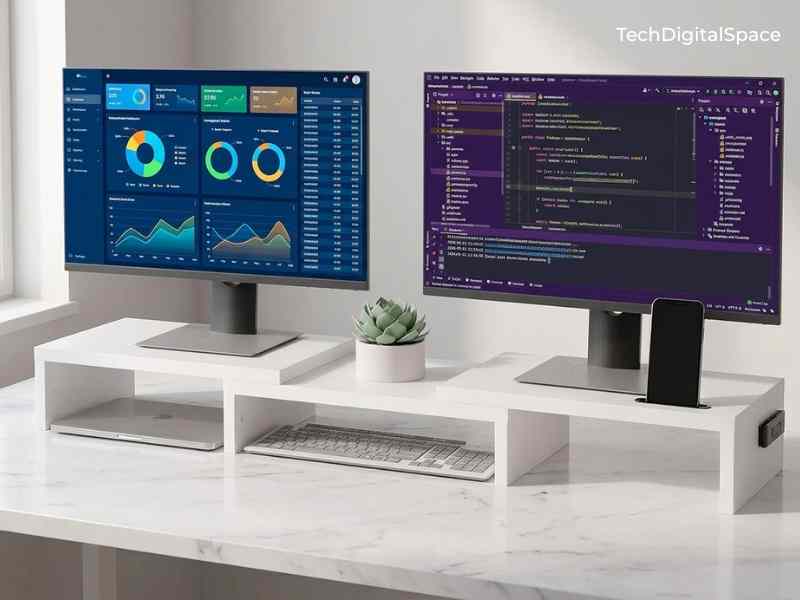
The BONTEC stand solves two problems simultaneously — it raises your monitor to ergonomic eye level AND creates hidden storage underneath for your keyboard when not in use. That adjustable length from 31.5 to 42.5 inches is what separates this from fixed-width risers — it expands to fit single or dual monitor setups perfectly. The three open compartments underneath store your keyboard, files, and accessories completely out of sight. The 360° swivel on each side section means you can angle your monitors toward you from any seated position.
Imagine coming home, sitting at your desk, and your monitor is exactly at eye level — no more craning your neck downward for hours. By the end of your first week with this stand, you’ll notice the difference in how your neck and shoulders feel.
The only downside: the width may feel slightly narrow if you have an ultrawide monitor over 32 inches — measure your monitor base before ordering.
At $26.99, this is the ergonomic upgrade most people pay $80+ for in office furniture stores. It’s the best value-per-dollar item for anyone using a monitor daily.
Prices on Amazon change frequently — click to check the current price.
Check price on Amazon → BONTEC Dual Monitor Stand Riser
3. LED Desk Lamp with USB Ports — Best for Reducing Eye Strain During Long Work and Study Sessions
This lamp is ideal for students, night workers, and anyone who suffers from headaches or tired eyes caused by harsh overhead lighting or working in dim conditions.
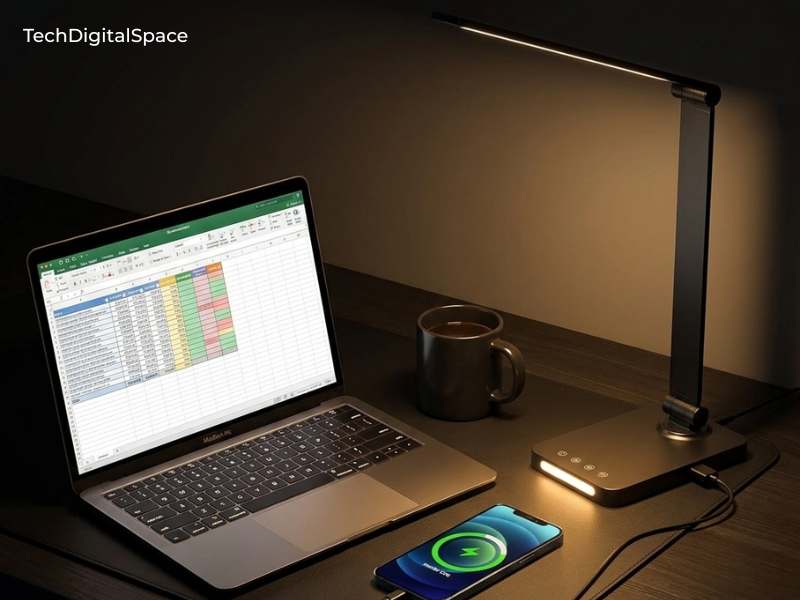
- Price: Under $20
- Light modes: Multiple color temperature settings from warm white to cool daylight
- Features: Adjustable arm, touch-sensitive controls, built-in USB charging port
- Power: Energy-efficient LED — no bulb replacements ever needed
- Rating: 4.5 stars | 13,835+ reviews
What makes this lamp earn its place on the list is the built-in USB charging port on the base — one less cable on your desk, one more charging point available exactly where you sit. The adjustable arm lets you direct light precisely where you need it with zero shadow falling across your keyboard. The touch controls let you cycle through brightness levels and color temperatures without fumbling for a switch.
Imagine working through the evening with perfect, adjustable task lighting right where you need it — your eyes relaxed, your desk lit exactly right, and your phone charging from the lamp base without taking up a wall socket.
The only downside: the touch controls are slightly sensitive — bumping the base occasionally cycles the brightness setting. Takes one day to get used to.
At $16.97, it costs less than a basic no-feature lamp from a hardware store — but does three times as much.
Prices on Amazon change frequently — click to check the current price.
Check price on Amazon → LED Desk Lamp with USB Ports
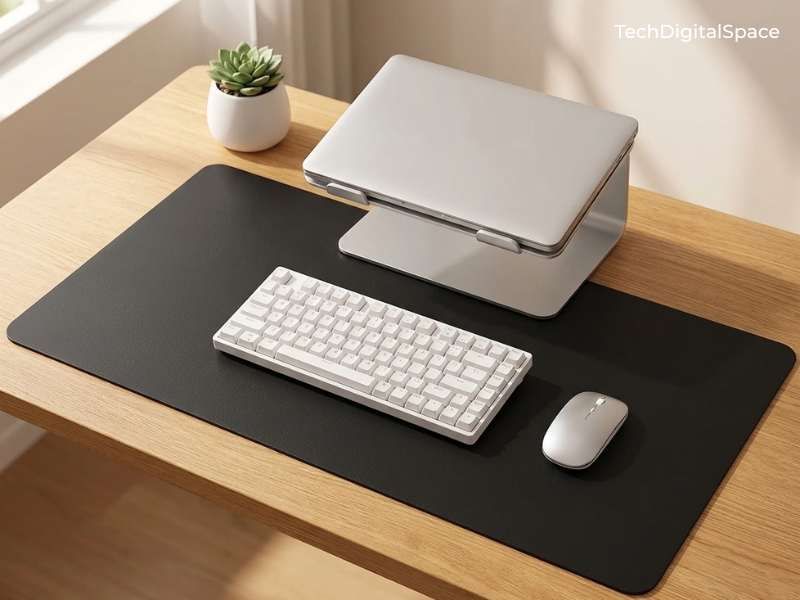
4. Aothia Non-Slip PU Leather Desk Pad — Best Single Purchase for an Instantly Cleaner-Looking Desk
This desk pad is for anyone who wants to transform the look of their entire workspace in under 30 seconds — because that is genuinely how long it takes.
- Price: Under $10
- Material: PU leather top surface, non-slip cork bottom
- Waterproof: Yes — wipes clean instantly
- Size: Multiple size options available at checkout
- Rating: 4.6 stars | 77,043+ reviews
With 77,000+ reviews, this is one of the most purchased desk accessories on all of Amazon — and for very good reason. The non-slip cork bottom means it stays perfectly in place during intense typing or gaming without shifting even a millimeter. The waterproof leather surface means a coffee spill is a three-second wipe, not a disaster. It anchors your entire desk aesthetic — everything placed on top of it immediately looks intentional and coordinated.
Imagine looking at your desk every morning — a smooth, clean leather surface with everything neatly positioned on top. That single visual shift changes how you feel about sitting down to work.
The only downside: edges can curl slightly if the pad was rolled tightly during shipping — lay it flat with something heavy on top for 24 hours and it flattens out completely.
For $9.99, nothing else on this list delivers this much immediate visual impact. This is the first product you should buy.
Prices on Amazon change frequently — click to check the current price.
Check price on Amazon → Aothia Desk Pad
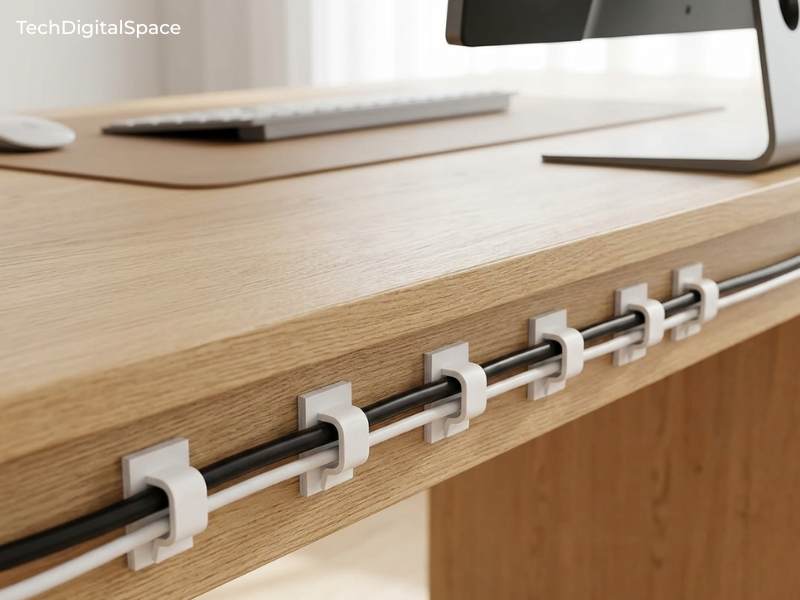
5. XHF Adhesive Cable Wire Clips 120 PCS — Best for Eliminating the Cable Chaos That Makes Every Desk Look Messy
These clips are for anyone who has ever looked at the back or underside of their desk and felt instant anxiety. Tangled, trailing cables are the single biggest visual destroyer of any desk setup — no matter how good the products on top are.
- Price: $7.99
- Quantity: 120 pieces — enough for your entire desk, walls, and still have spares
- Material: Flexible clip body with strong adhesive backing
- Color: White — blends seamlessly with most desks and walls
- Rating: 4.5 stars | 7,831+ reviews
At 120 pieces for under $8, this is the most cost-effective purchase on the entire list. Stick them along the back edge of your desk, route your monitor cable, lamp cable, and USB hub cable through the clips, and your setup goes from chaotic to clean in 20 minutes flat. The transformation is immediate and dramatic — it looks like a completely different desk.
Imagine flipping your desk around and seeing every cable running neatly in a straight line — nothing dangling, nothing tangled, nothing pulling at your devices. That is what $7.99 buys you.
The only downside: adhesive grips best on smooth surfaces — on textured or rough desk materials, press firmly for 30 seconds per clip and allow 24 hours to fully cure before routing cables.
Less than 7 cents per clip to make your entire desk look professionally managed. This is objectively one of the best purchases on this list.
Prices on Amazon change frequently — click to check the current price.
Check price on Amazon → XHF Cable Wire Clips 120 PCS
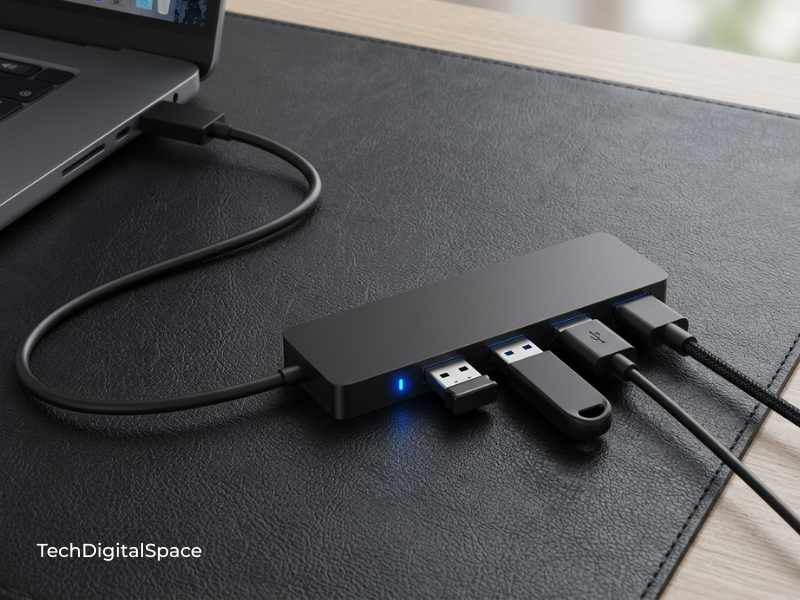
6. Anker USB Hub 4 Ports — Best for Anyone Who Has Run Out of USB Slots on Their Laptop or PC
This hub is a must-have for anyone using a modern laptop with limited ports — which at this point is nearly every laptop made in the last four years.
- Price: $7.98
- Ports: 4 x USB 3.0
- Transfer speed: Up to 5 Gbps — fast enough for external drives, not just peripherals
- Cable length: 1.5 feet — sits neatly on your desk without pulling
- Rating: 4.7 stars | 134,035+ reviews
With 134,000+ reviews and a 4.7-star rating, this is one of the most reviewed tech accessories on all of Amazon. Anker has been the most trusted name in charging and connectivity accessories for over a decade — and this hub is exactly why. Plug in your mouse, keyboard, USB stick, and phone cable simultaneously without fighting over ports. It just works, every single time, without the driver issues that cheaper no-brand hubs cause.
Imagine never reaching around the back of your monitor or laptop to blindly hunt for an empty USB port again. Everything you need is right there in front of you, organized and accessible.
The only downside: this hub does not support laptop power delivery — it is for data and accessories only, not for charging your laptop through the hub.
At $7.98, this is less than the cost of a sandwich — and Anker charges $20+ for this same quality in retail stores.
Prices on Amazon change frequently — click to check the current price.
Check price on Amazon → Anker USB Hub 4 Ports
7. Vtopmart Clear Plastic Drawer Organizers Set 25 PCS — Best for Finally Conquering the Desk Drawer That Swallows Everything
This organizer set is for anyone whose desk drawer is essentially a black hole where pens, charging cables, sticky notes, and small accessories disappear and are never seen again.
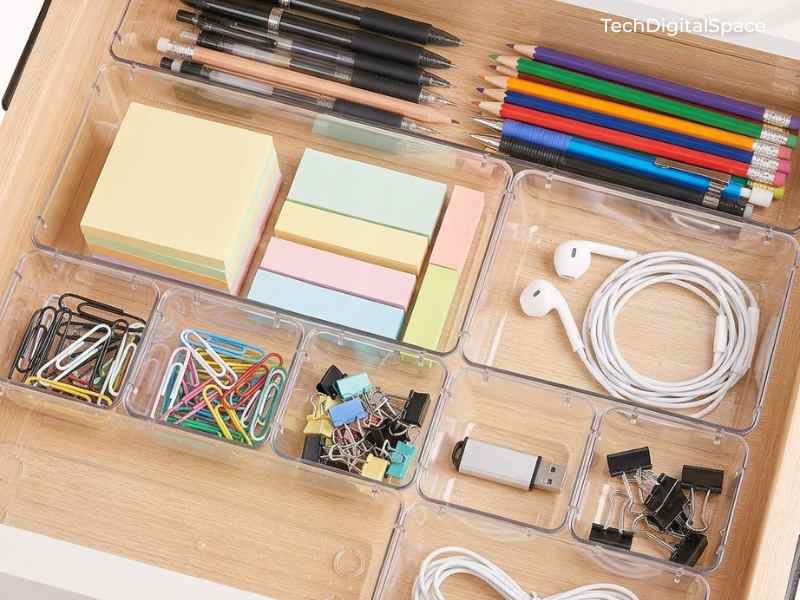
- Price: $19.99
- Quantity: 25 pieces in 4 different sizes
- Material: Crystal-clear BPA-free plastic — fully transparent
- Versatility: Works in desk drawers, nightstands, kitchen drawers, vanity trays
- Rating: 4.7 stars | 41,773+ reviews
The clear plastic design is the key feature here — you can see every single item in every compartment at a complete glance, with zero rummaging. With 25 pieces in multiple sizes, you configure your drawer exactly how your specific items need to be arranged. Over 41,000 buyers confirm this organizer actually stays organized — unlike cheap cardboard alternatives that collapse and shift within weeks.
Open your desk drawer and picture every pen, every cable clip, every sticky note pad, every small accessory sitting in its own clearly visible dedicated space. That level of daily order genuinely changes how calm and focused you feel at your desk.
The only downside: the pieces can shift slightly in very large drawers if you don’t fill the full width — use the complete set together for the best locked-in fit.
At $19.99 for 25 pieces, that’s 80 cents per organizer tray. Try finding that in any office supply store.
Prices on Amazon change frequently — click to check the current price.
Check price on Amazon → Vtopmart Drawer Organizers 25 PCS
8. Govee RGBIC LED Strip Lights — Best for Creating the Ambient Glow That Makes Every Setup Look Professional
This strip light is for anyone who has wondered how tech setups on YouTube and Pinterest get that warm, atmospheric glow behind the monitor — this is exactly how they do it.
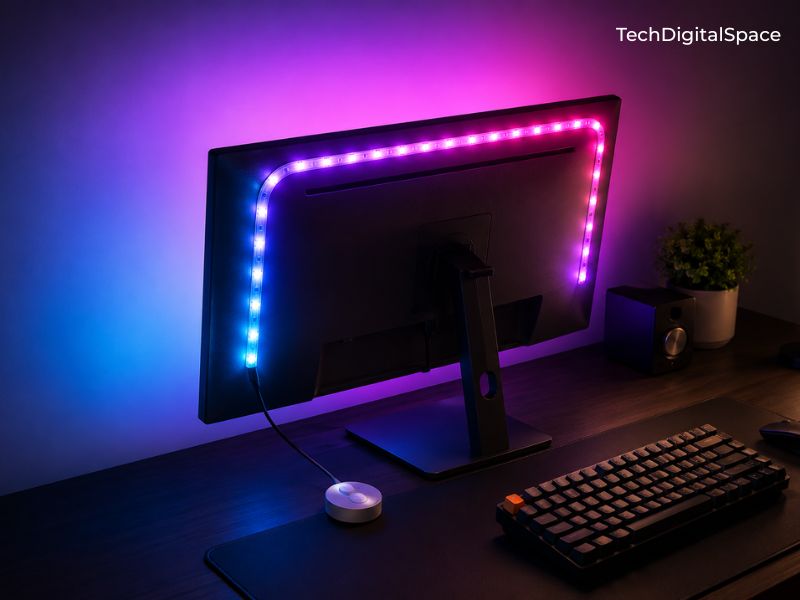
setup look like a professional studio — for under $15
→ Check price on Amazon
- Price: $14.99
- Technology: RGBIC — multiple colors simultaneously on one strip
- Controls: Smartphone app, voice control via Alexa and Google Home, music sync mode
- Length: Multiple size options available at checkout
- Rating: 4.4 stars | 24,913+ reviews
Govee is the number one budget LED brand in the smart lighting category, and this strip demonstrates exactly why. The RGBIC technology allows different sections of the same strip to display different colors simultaneously — creating a smooth gradient effect that basic single-color LED strips simply cannot produce. The music sync mode pulses colors to your audio in real time. App control means you change the entire mood of your room from your phone in seconds.
Imagine the warm purple and blue glow behind your monitor as you sit down to work in the evening — your setup looking like something from a professional creator’s studio, for $14.99.
The only downside: the app requires account creation and occasionally needs reconnection after a Wi-Fi change — takes about two minutes to resolve when it happens.
At $14.99, this creates an RGB lighting effect that costs $40–$60 in any electronics retail store. It is one of the most visually impactful purchases on this entire list per dollar spent.
Prices on Amazon change frequently — click to check the current price.
Check price on Amazon → Govee RGBIC LED Strip Lights
9. Amazon Basics Ergonomic Laptop Stand — Best for Laptop Users Who Want a Proper Desktop-Style Workstation
This stand is essential for anyone using a laptop as their primary computer who wants to stop hunching forward to see the screen — a habit that causes real, cumulative physical damage over time.
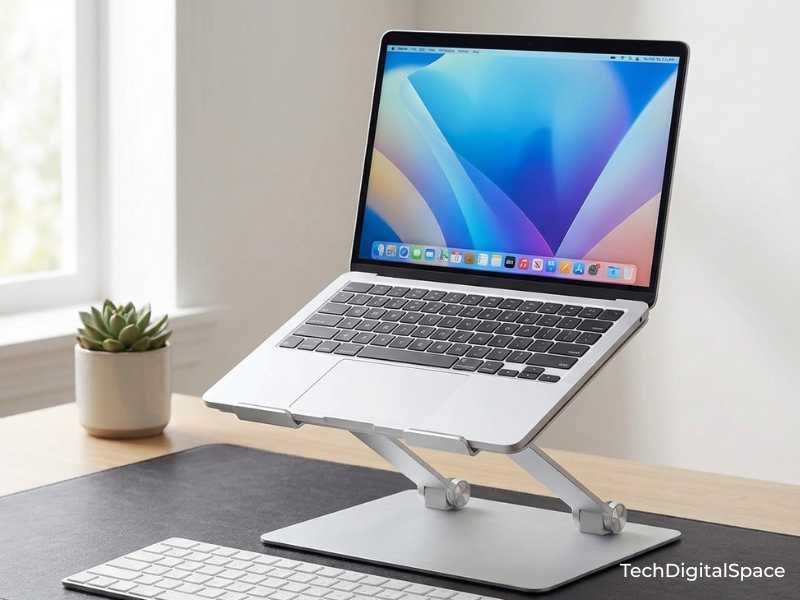
- Price: $20.99
- Material: Lightweight aluminum
- Adjustability: Multiple height and angle positions
- Compatibility: MacBook, Windows laptops, all standard sizes up to 15.6″
- Rating: 4.6 stars | 3,246+ reviews
The Amazon Basics brand delivers straightforward, honest quality at accessible prices — and this laptop stand is a textbook example. Raising your laptop screen to eye level is one of the single most impactful ergonomic improvements you can make to your home workspace. Pair this stand with the Anker USB hub from earlier and a wireless keyboard, and you have a full desktop-style workstation from a laptop — for under $30 total between both products.
Imagine your laptop raised to eye level, your external keyboard on the desk in front of you, and your posture actually upright for the first time in months. Your back notices the difference within the first hour.
The only downside: aluminum stands can get warm under heavy-load laptops — always ensure your laptop’s cooling vents face outward on the stand for proper airflow.
At $20.99 for an aluminum ergonomic stand, you’re paying about a quarter of what laptop stands cost in Apple or Microsoft retail stores.
Prices on Amazon change frequently — click to check the current price.
Check price on Amazon → Amazon Basics Laptop Stand
10. Logitech Brio 101 Full HD 1080p Webcam — Best for Remote Workers Who Need to Look Sharp and Professional on Video Calls
This webcam is for anyone attending regular video meetings whose laptop’s built-in camera is making them look grainy, dark, or unprofessional — which is most laptop cameras, even on premium machines.
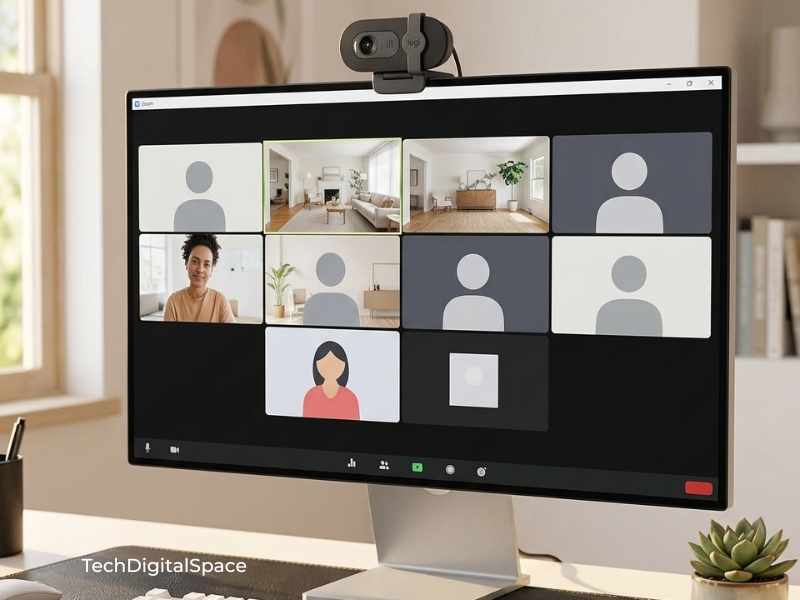
- Price: $24.99
- Resolution: Full HD 1080p at 30fps
- Features: Automatic light correction, built-in noise-reducing microphone, physical privacy shutter
- Compatibility: Plug-and-play USB — works instantly with Zoom, Teams, Google Meet, no drivers needed
- Rating: 4.4 stars | 6,680+ reviews
Logitech is the undisputed global standard in webcams, and the Brio 101 is their most accessible model without cutting corners on the fundamentals. The automatic light correction adjusts exposure in real time so you look clear and properly lit whether you’re in a bright room or a dimly lit home office. The physical privacy shutter slides closed when not in use — a small but genuinely important feature that a lot of people care about deeply.
Next time you join a morning meeting, your colleagues will immediately notice the difference. You’ll look sharp, well-lit, and present — before you even say a word.
The only downside: no 60fps support — if you create professional streaming or video content, you’ll eventually want a step-up model. For meetings and calls, 30fps is completely invisible.
At $24.99, this is the most professionally impactful product on the entire list. One upgrade that changes how every single colleague and client perceives you.
Prices on Amazon change frequently — click to check the current price.
Check price on Amazon → Logitech Brio 101 Webcam
11. EURPMASK Rotating Headphone Stand — Best for Getting Your Headphones Completely Off Your Desk by Storing Them Underneath It
This stand is for gamers, music lovers, and anyone who currently rests their headphones draped over a monitor, hanging off a drawer, or sitting flat on the desk crushing the headband.
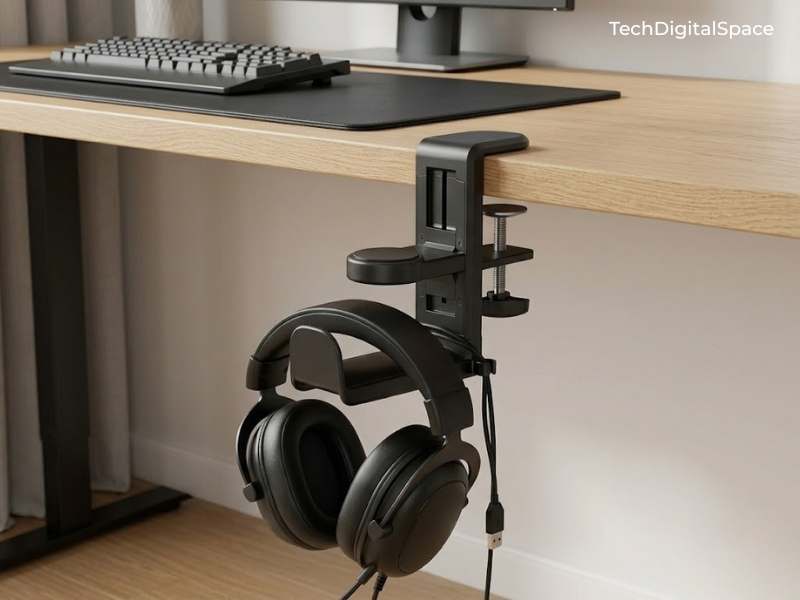
- Price: Under $15
- Mount type: C-clamp — attaches to underside of desk edge
- Feature: 360° rotating hook arm hangs below desk
- Feature: Built-in cable management clip on body
- Compatibility: All standard over-ear headphones and gaming headsets
- Rating: 4.7 stars | 30,000+ reviews
This mount is for gamers, music lovers, and anyone who wants to reclaim desk surface space completely — because instead of sitting beside your monitor, your
headphones disappear underneath your desk entirely.
The EURPMASK clamps firmly to the underside edge of any standard desk in under two minutes with no tools required. The 360° rotating hook arm means you can
swing your headphones in and out from any angle without adjusting your sitting position. The built-in cable clip on the body keeps your headphone cable routed neatly alongside it — zero dangling.
Imagine reaching under your desk edge and pulling your headphones off the hook in one smooth motion — your desk surface completely clear, your headset
protected, and not a single item taking up your workspace.
The only downside: requires a desk with a standard flat edge for the clamp to grip — very thick or rounded desk edges may need measurement before ordering.
At under $15, this clears more desk space than any other product on this list.
Prices on Amazon change frequently — click to check the current price.
Check price on Amazon → EURPMASK Rotating Headphone Stand
12. Yootech Wireless Charger Pad — Best for Removing the Cable That Creates the Most Daily Desk Clutter
This wireless pad is for anyone who picks up and puts down their phone 40–50 times a day and is tired of the charging cable getting in the way, pulling things around, or wearing out the charging port.
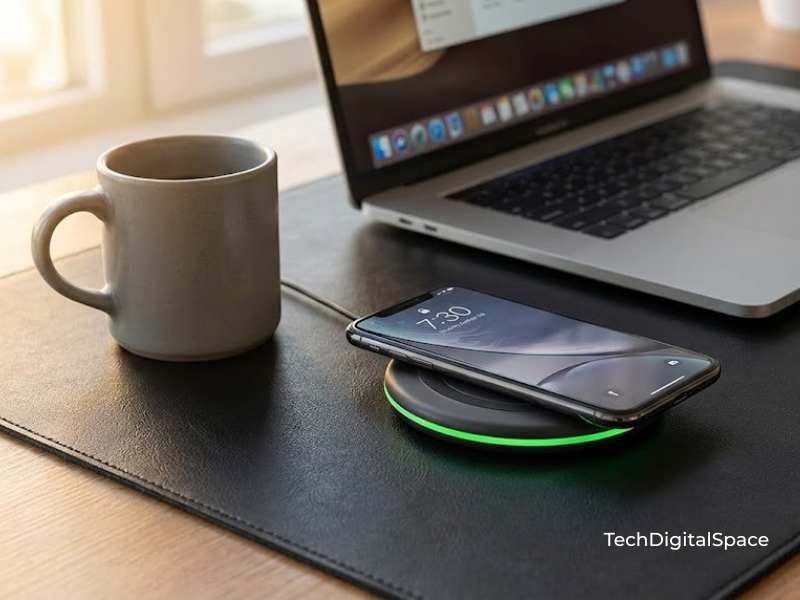
- Price: Under $15
- Charging speed: Up to 10W fast wireless charging
- Compatibility: Universal Qi standard — works with all iPhones 8 and above, Samsung Galaxy, Google Pixel, and any Qi-enabled device
- Indicator: LED light on edge confirms active charging connection
- Rating: 4.3 stars | 223,053 reviews
With over 223,000 Amazon reviews — the largest review count on this entire list — the Yootech wireless charger is one of the most-purchased small tech accessories on Amazon globally. What earns it a place here is specifically the universal Qi technology — it charges iPhones, Samsung Galaxy, and virtually every modern smartphone without needing different chargers for different devices. The small LED indicator light on the edge glows the moment your phone connects correctly, so you always know it’s charging without picking it up to check.
Set your phone down when you sit at your desk, and it charges automatically. Every single time. Without thinking about it. Without a cable touching your desk pad.
The only downside: reaching the full 10W fast-charge speed requires a compatible fast-charge adapter — standard 5W adapters included with many phones will charge at a slower rate. A 10W adapter costs around $8 on Amazon if you need one.
At $12.99 for universal wireless charging that works across every phone brand, this removes a cable that most people didn’t realise was bothering them — until it’s gone.
Prices on Amazon change frequently — click to check the current price.
Check price on Amazon → Yootech Wireless Charger Pad
13. Post-it Cat Sticky Note Dispenser — Best for Adding Personality and Organization to Your Desk at the Same Time
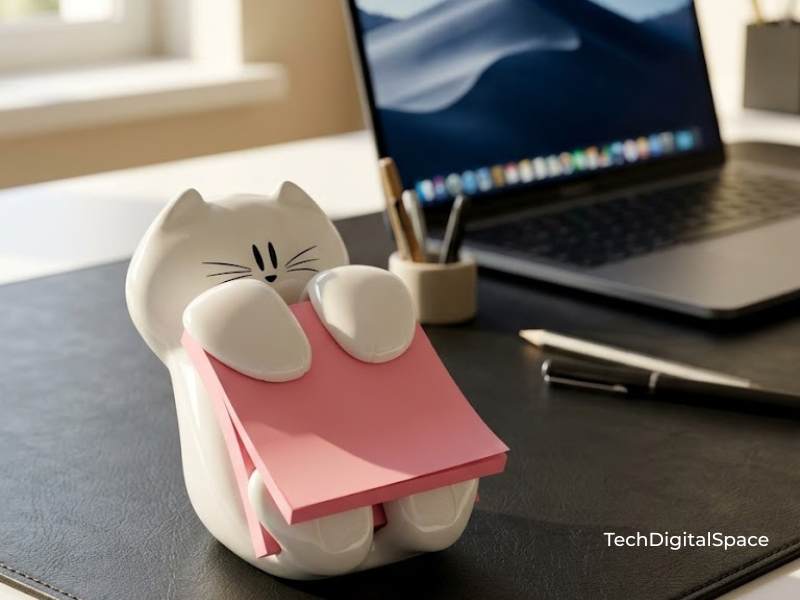
always ready → Check price on Amazon
- Price: Under $15
- Material: Durable white plastic — lightweight and sturdy
- Design: Adorable cat-shaped figurine — holds standard 3×3″ pop-up sticky notes between the paws
- Includes: 45 pink sticky note sheets included in the box
- Rating: 4.8 stars | 15,640+ reviews
This organizer is for anyone who wants their sticky notes always visible and ready to grab — with a little personality on their desk that makes people smile every time they reach for a note.
With a 4.8-star rating across 15,640 Amazon reviews, the Post-it Cat Dispenser is one of the most loved small desk accessories on the market. The cat design holds your sticky note pad securely between its paws — notes pop up cleanly one at a time, always visible, never lost under a pile of papers. The included 45 pink sheets mean it is ready to use straight out of the box.
Imagine glancing to the corner of your desk and seeing a cheerful white cat holding your most important reminder right in its paws. It makes your workspace feel personal and intentional — not just functional.
The only downside: designed specifically for standard 3×3″ pop-up sticky note pads — regular flat sticky note pads do not work with this dispenser.
At $11.99, this is the desk accessory that makes every person who visits your home office immediately ask “where did you get that?”
Prices on Amazon change frequently — click to check the current price.
14. Der Rose Artificial Succulent Plants — Best for Adding Warmth, Color, and Life to Your Desk Without Any Maintenance
This is for anyone who wants the visual warmth and calming effect of a plant on their desk — but knows with complete certainty that they will forget to water a real plant within a week.
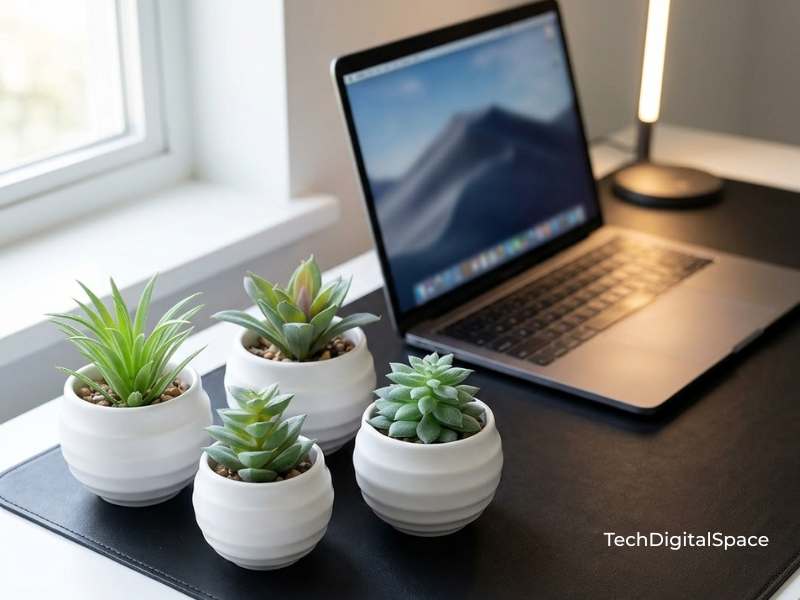
- Price: $11.99 ($2.00 per plant)
- Type: Set of 6 artificial succulents — each in its own round white ceramic-style pot
- Plant variety: 6 different shapes — rosette, spiky, spreading and more
- Maintenance required: Absolutely zero — no water, no soil, no sunlight, no wilting
- Rating: 4.5 stars | 3,572+ reviews | 1K+ bought last month
Real plants die. Der Rose plants don’t and they’re made with enough realistic texture and color variation that at normal desk-viewing distance, they are genuinely convincing. Research consistently confirms that adding greenery to a workspace reduces perceived stress and increases sustained focus — and Der Rose gives you that benefit without the responsibility of keeping something alive.
Imagine glancing to the side of your monitor and seeing a small, perfectly arranged green succulent sitting quietly in its pot. It cost $11.99, it never needs watering, and it makes your desk feel like a space someone actually cares about.
The only downside: up close they won’t fool a botanist — but at typical desk viewing distance, they look natural and intentional. Nobody sitting across from you on a video call will know the difference.
For $11.99, you get the desk aesthetic benefit of a living plant without ever worrying about it. That is an excellent trade.
Prices on Amazon change frequently — click to check the current price.
Check price on Amazon → Der Rose Artificial Succulent Plants
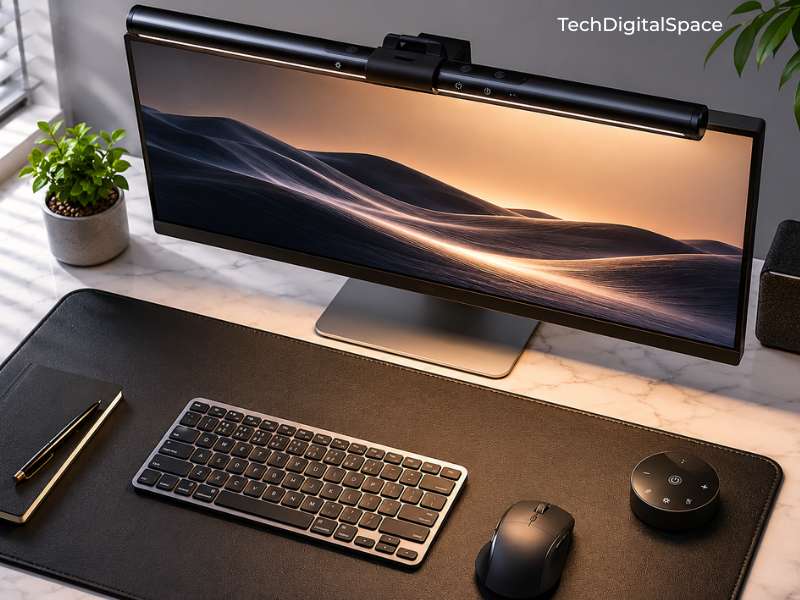
15. Quntis Computer Monitor Lamp — Best Premium Pick for the Cleanest, Most Professional Desk Lighting Available Under $50
This is the product for anyone who wants the best possible desk lighting — a monitor-mounted lamp engineered specifically to illuminate your workspace without creating a single point of screen glare.
- Price: $39.95
- Mount: Balances directly on top of your monitor — no clamp, no drilling, no desk space used
- Technology: Asymmetric optical design throws light forward onto your desk only — zero reflection back onto your screen
- Features: Touch controls, stepless brightness adjustment, dual color temperature modes
- Compatibility: All standard flat monitors and most curved monitors up to standard curve depth
- Rating: 4.6 stars | 13,491+ reviews
The Quntis monitor lamp is the most ingeniously (meaning: cleverly and originally designed) engineered product on this list — and it justifies its higher price point in one key way. The asymmetric optical lens design is not a marketing claim — it physically redirects light downward and forward onto your keyboard and desk surface, with the optical geometry preventing any portion of that light from bouncing back onto your screen. The result is a completely glare-free, perfectly lit workspace that is dramatically more comfortable than any desk lamp pointed at your work area from the side.
This is the lamp that appears in nearly every high-end desk setup photo you’ve admired. Those setups pay $80–$120 for the BenQ ScreenBar — the Quntis delivers the same optical principle for $39.95.
Once you work under a monitor lamp versus a standard desk lamp for a full day, you will not go back. The reduction in eye fatigue alone changes your relationship with evening work.
The only downside: requires a monitor with a flat or gently curved top edge to balance correctly — very aggressively curved ultrawide monitors may require additional positioning adjustment.
At $39.95 — the only product on this list approaching $50 — it is the most considered, premium purchase here. It is worth every cent.
Prices on Amazon change frequently — click to check the current price.
Check price on Amazon → Quntis Computer Monitor Lamp
Complete Budget Breakdown — Plan Your Setup Before You Spend a Single Dollar
| Product | Price | Priority |
|---|---|---|
| Lamicall S1 Tablet Stand | Under $10 | Essential |
| BONTEC Monitor Stand Riser | Under $30 | Essential |
| LED Desk Lamp with USB Ports | Under $20 | Essential |
| Aothia PU Leather Desk Pad | Under $10 | Essential |
| XHF Cable Wire Clips 120 PCS | Under $10 | Essential |
| Anker USB Hub 4 Ports | Under $10 | Essential |
| Amazon Basics Laptop Stand | Under $25 | Essential |
| Vtopmart Drawer Organizers | Under $20 | Nice to Have |
| Govee RGBIC LED Strip Lights | Under $15 | Nice to Have |
| Logitech Brio 101 Webcam | Under $30 | Nice to Have |
| EURPMASK Headphone Hanger | Under $15 | Nice to Have |
| Yootech Wireless Charger | Under $15 | Nice to Have |
| Post-it Cat Sticky Note Dispenser | Under $15 | Nice to Have |
| Quntis Computer Monitor Lamp | Under $40 | Nice to Have |
| Der Rose Artificial Succulents | Under $15 | Optional |
| Total — Essentials Only | Under $130 | |
| Total — Full Setup | Under $300 |
Building the full setup across four to five weeks means spending roughly $50–$60 per week. Most people spend more than that on food delivery without thinking about it — and a great desk setup pays you back in focus, comfort, and productivity every single day.
How to Actually Build Your Budget Desk Setup — Step by Step
You have the product list. Now here is the exact order to build your setup so every purchase makes logical sense and nothing feels wasted.
Step 1 — Lay Your Foundation First
Before placing a single product on your desk, put down your surface foundation. The Aothia Desk Pad goes down first — it defines the boundaries of your workspace, protects your desk surface, and makes everything placed on top of it look intentional rather than random. This single step takes 30 seconds and immediately changes how your desk looks and feels. Start here without exception.
Step 2 — Get Your Screen to the Right Height
This is the most physically important step on the list. If you use a laptop, set up the Amazon Basics Laptop Stand and position it at the back-center of your desk pad. Pair it immediately with the Anker USB Hub — plug the hub into your laptop and suddenly you have four accessible ports right on your desk surface instead of hunting around the back of your machine. If you use an external monitor, the BONTEC Monitor Riser goes in next, raising your screen to true eye level. Your posture improves from your very first session.
Step 3 — Eliminate Every Cable in One Session
Set aside 20 focused minutes with your pack of XHF Cable Wire Clips. Route every cable — monitor, lamp, USB hub, charging cables — along the back edge of your desk and clip them in place. Run power cables down the desk leg with clips at intervals. This single session removes approximately 80% of the visual clutter from any desk setup regardless of the products on it. Do this before adding anything else — a clean cable situation makes every product look better.
Step 4 — Add Your Lighting Layer
Start with the LED Desk Lamp with USB Ports as your primary task light — position it to the left or right of your monitor to eliminate keyboard shadow. Once your essentials are in place, add the Govee RGBIC LED Strip Lights to the back of your monitor or along the underside of a shelf for ambient backlighting. If you want one single lighting upgrade that does everything, the Quntis Monitor Lamp replaces both — it sits on top of your monitor and provides perfectly directed task lighting with zero screen glare.
Step 5 — Add the Finishing Touches That Make It Yours
This is the step most people skip and it is the step that turns a functional workspace into one you genuinely look forward to sitting at. Place the Der Rose Succulents to one side of your monitor for natural warmth. Clip the EURPMASK headphone mount under your desk edge — your headphones hang below the desk completely out of the way. Position the Yootech Wireless Charger where your hand naturally rests when not typing — your phone charges every time you put it down. Place the Post-it Cat Dispenser on your dominant-hand side your most important reminder sits right in the cat’s paws, always visible
Stand back. Look at what you’ve built. That is a workspace worth showing up to every day.
Also Read:
- 11 Amazon Finds That Instantly Make Small Dorm Rooms Feel Bigger (2026 Guide)
- 21 Dorm Room Essentials Every Freshman Needs in 2026 (Checklist Included)
Frequently Asked Questions
Q1: What is the minimum budget for a good desk setup in 2026?
You can build a genuinely clean, functional, and ergonomic desk setup for around $65–$80 if you focus on the true essentials first: a desk pad (under $10), cable clips (under $8), a USB hub (under $8), a lamp (under $17), and a laptop or monitor stand (under $27). These five items transform a cluttered, uncomfortable surface into something that looks and functions significantly better.
Q2: Can I build a decent desk setup for under $100?
Absolutely — and it will look far better than most people expect. The essential items on this list total approximately $100, covering ergonomics, lighting, cable management, and surface foundation. A desk setup under $100 built with these specific products will outperform setups people spent $300 on randomly without a plan. The best budget desk setup in 2026 is about smart selection, not high spending.
Q3: What desk setup products should I buy first?
In order: desk pad first for immediate visual impact, cable clips second to eliminate clutter, screen riser or laptop stand third for ergonomics, then a desk lamp for proper lighting. Those four purchases in that sequence give you the maximum improvement per dollar at every stage. Lighting, webcam, LED strips, and decorative items come after the foundation is solid.
Q4: Is Amazon the best place to buy desk accessories on a budget?
For buyers in the USA, UK, Canada, and Australia yes, consistently. Amazon combines competitive pricing, Prime-eligible fast delivery, a reliable 30-day return policy, and access to hundreds of thousands of verified buyer reviews before you spend a dollar. All 15 products in this guide are Prime-eligible and backed by Amazon’s customer service if anything is wrong on arrival.
Q5: How do I make my desk look aesthetic without spending a lot?
Three elements create an aesthetic desk on any budget: a clean unified surface (the Aothia desk pad), ambient backlighting behind the monitor (the Govee LED strips), and one small organic element (the Der Rose succulents). Those three products from this list combine for under $40 total and the visual difference between a desk with those three items versus without them is remarkable. Color coordination matters too pick accessories in the same color family (all black, all silver, or all white) and your setup will look curated rather than random.
Conclusion
You now have everything you need.
Fifteen products. A clear priority order. A step-by-step build guide. A complete budget breakdown showing exactly what the essentials cost and what the full setup costs. No guesswork, no wasted money, no impulse purchases that don’t fit together.
The essentials come to around $100. The full setup sits under $270. Either way, you are building something that most people genuinely assume costs three to four times as much — because a well-planned setup always looks more expensive than it was.
Your desk is where you study, work, create, and think. It deserves to be a space that supports you rather than frustrates you.
Pick your first product from the list above — start with the desk pad if you’re not sure — and order it today. The version of your workspace you’ve been putting off building is one Amazon delivery away.
Start building. Your future setup is waiting.
All prices shown were accurate at the time of publishing. Amazon prices fluctuate regularly — always click through to confirm current pricing. This article contains affiliate links — see our full Affiliate Disclosure for details.

Simran Shah is a technology writer, graphic designer, and digital content creator with over 4 years of hands-on experience in the Indian tech space. She covers budget smartphones, gadgets, and tech accessories — with a strong focus on helping everyday Indian buyers make smarter purchasing decisions without overspending.
Simran runs two YouTube channels dedicated to AI tools, mobile technology, and automobiles, where she breaks down complex tech topics into simple, actionable content. Her research process involves comparing real specs, reading user reviews, and testing usability — so her recommendations reflect genuine insight, not just specifications copied from brand pages.
As a graphic designer working with tools like Canva and Leonardo AI, she brings a unique visual perspective to tech content — understanding both the product and how to communicate it clearly. Her content has been created with one goal in mind: do the research so you don’t have to.
When she’s not writing or designing, she’s deep-diving into the latest gadget launches, affiliate product comparisons, and AI developments shaping the tech world in India.